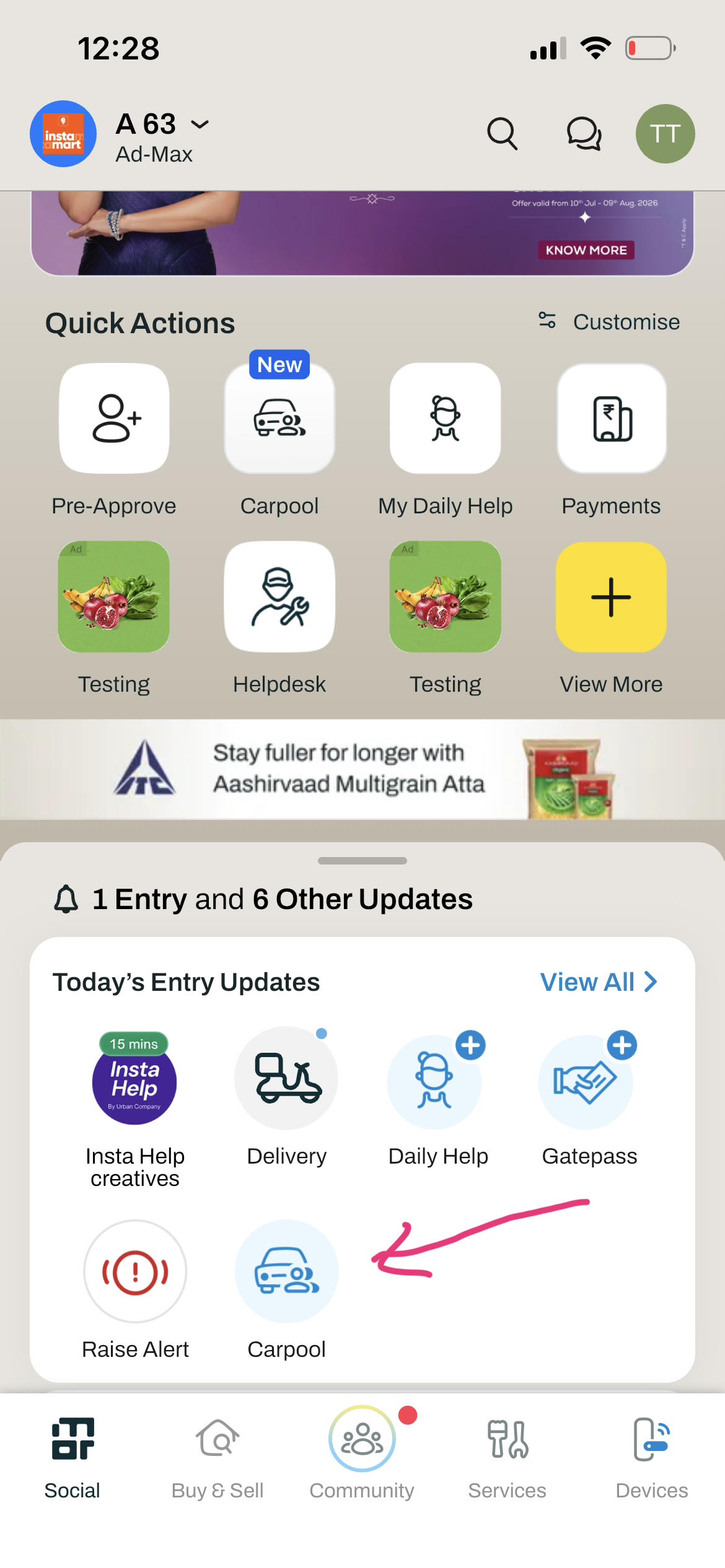
Where do I find the Carpool feature?
You can access Carpool from three places in the app:
- Today's entry updates section on your Home screen
- The Community section under "View More" on Quick Actions
- The Community tab, under Community Actions
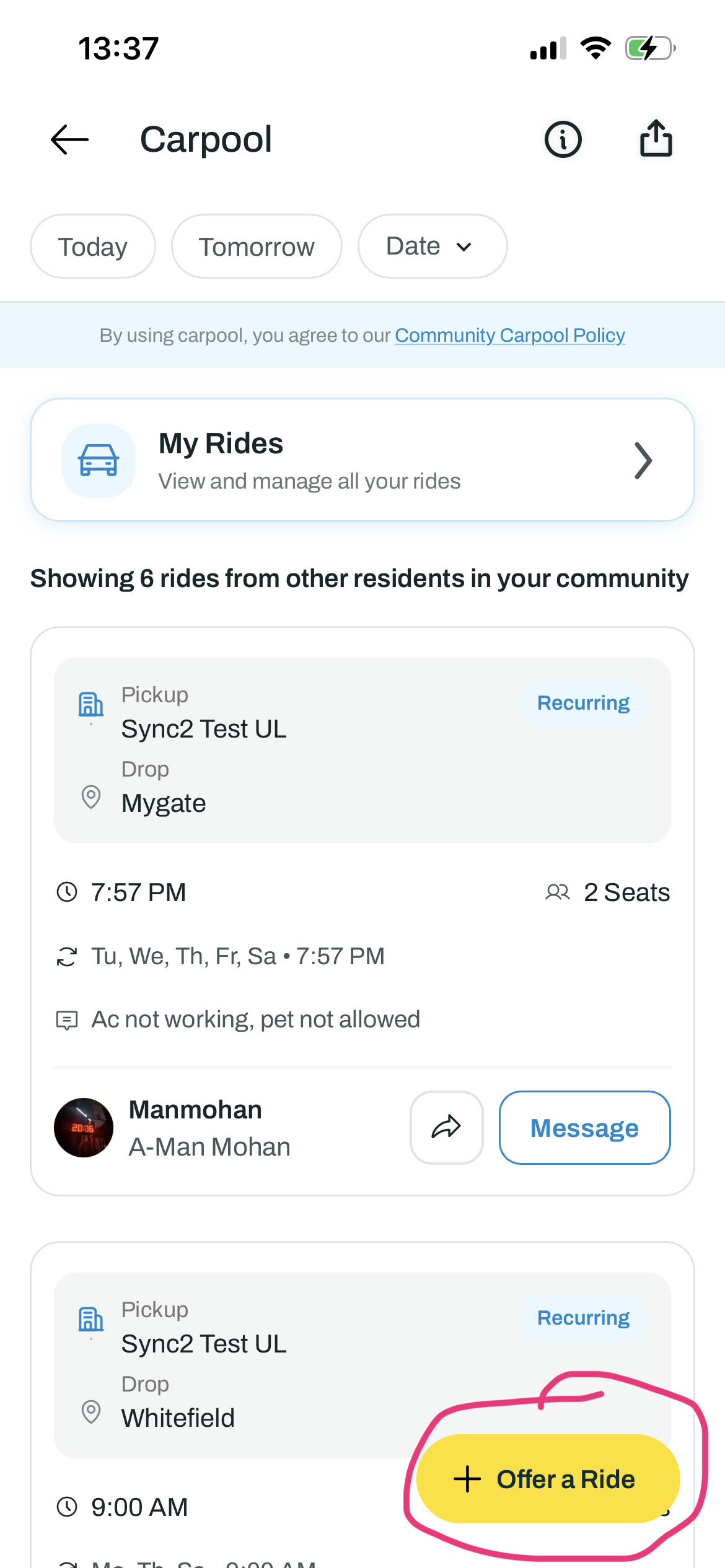
Offering a ride
Tap "Offer a Ride," then fill in your drop location, date, time, and how many seats you have available. Your pickup point defaults to your society, but you can change it if needed. Once you tap "Create Ride," your listing goes live for others in your community to see.
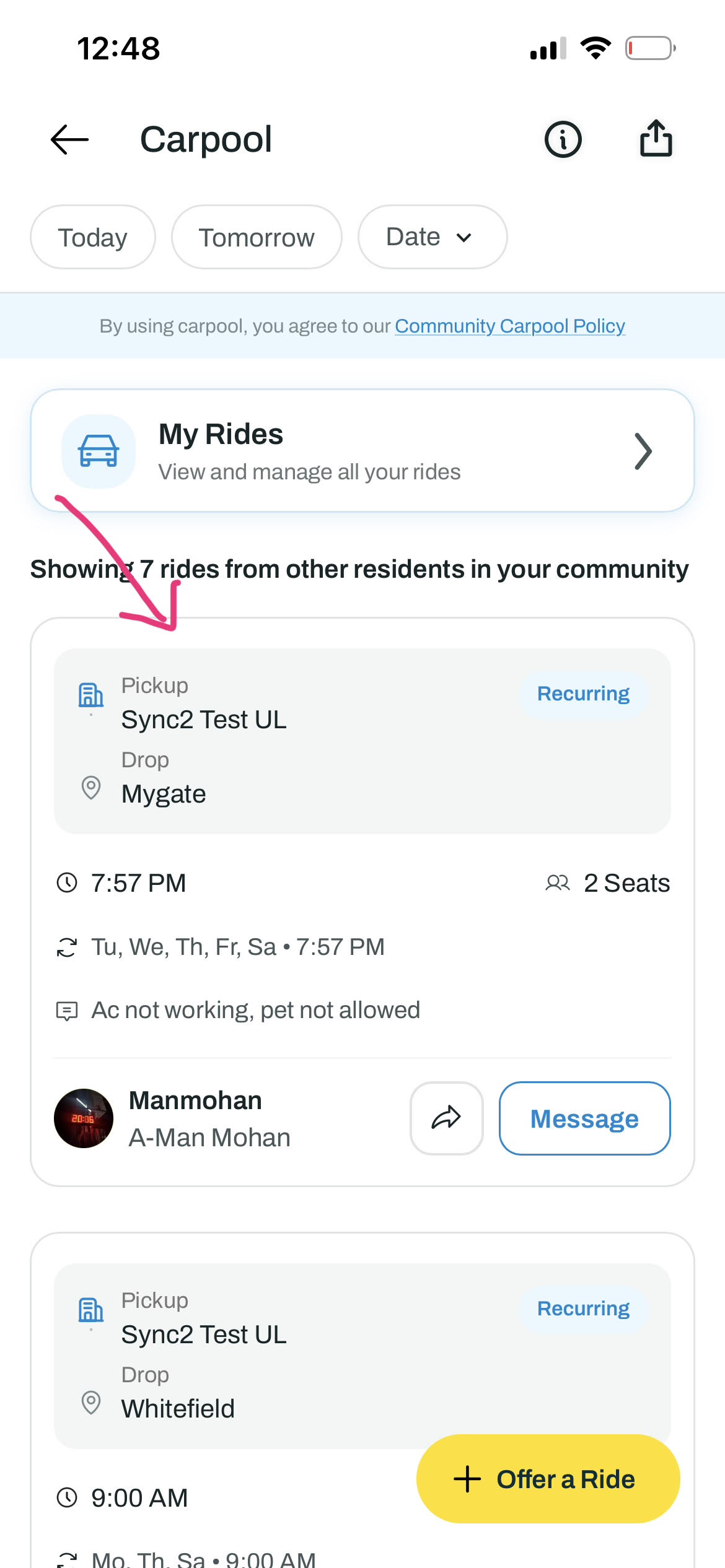
Finding a ride
Open Carpool to see a feed of rides offered by residents in your society for the day. You can filter by Today, Tomorrow, or a custom date to find a ride that matches your schedule.
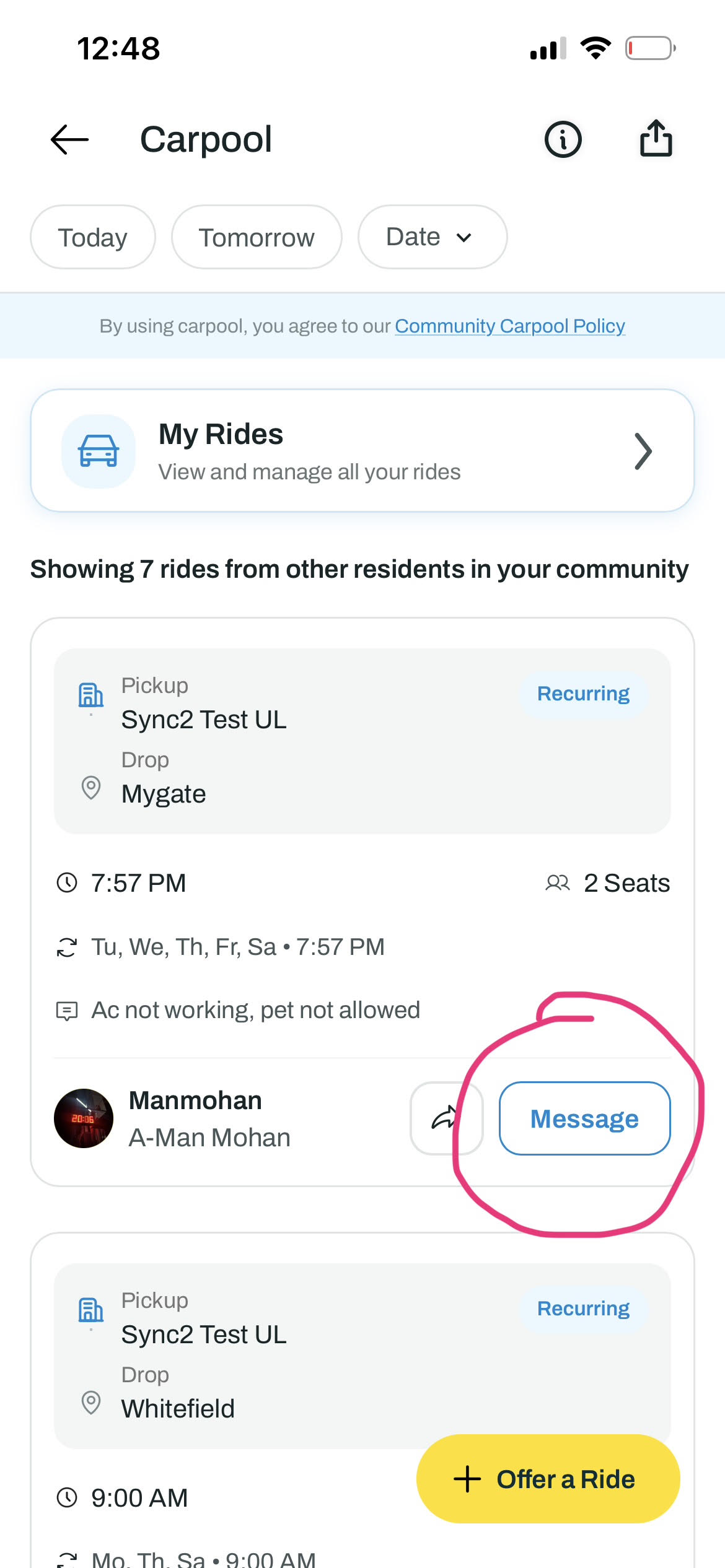
Contacting the ride host
Tap the "Message" button on any ride listing to start chatting with the resident directly. You'll be able to work out pickup details, timing, and anything else — right within the app.