
What is 'Ask Society' feature on the app?
What is Ask Society?
Ask Society is a new feature inside the Mygate app that lets you ask questions about your society and get instant answers. It is powered by MIRA, and it answers using your society's own official documents and the local directory.
So instead of scrolling through a 10-page PDF or calling the society office, you can just type your question and get the answer.
What kind of questions can I ask?
Anything covered in the society documents your admin has tagged, plus local service and emergency contacts. For example:
• Pet policies
• Clubhouse usage rules
• Garbage disposal and collection guidelines
• Move-in / move-out rules
• Trainer onboarding policies
• Guest parking and internal parking rentals
• Local service providers — Wi-Fi, gas pipeline, plumbing, electrical work
Any other community policy that exists in the tagged society documents
Where do the answers come from?
Only from the official documents the society admin has tagged for Ask Society, and from the society's local directory. MIRA does not make up rules — if the information is not in those documents, it cannot answer.
What do I get out of it?
• Instant answers to society policy questions.
• No scrolling through long documents to find one line.
• Stay updated on society rules even if you are new or missed a GBM.
• Local service provider contacts — plumber, electrician, Wi-Fi, gas — in seconds.
• No need to call the society office or post on the community feed for basics.
Where do I find Ask Society in the app?
There are three ways to get to it.
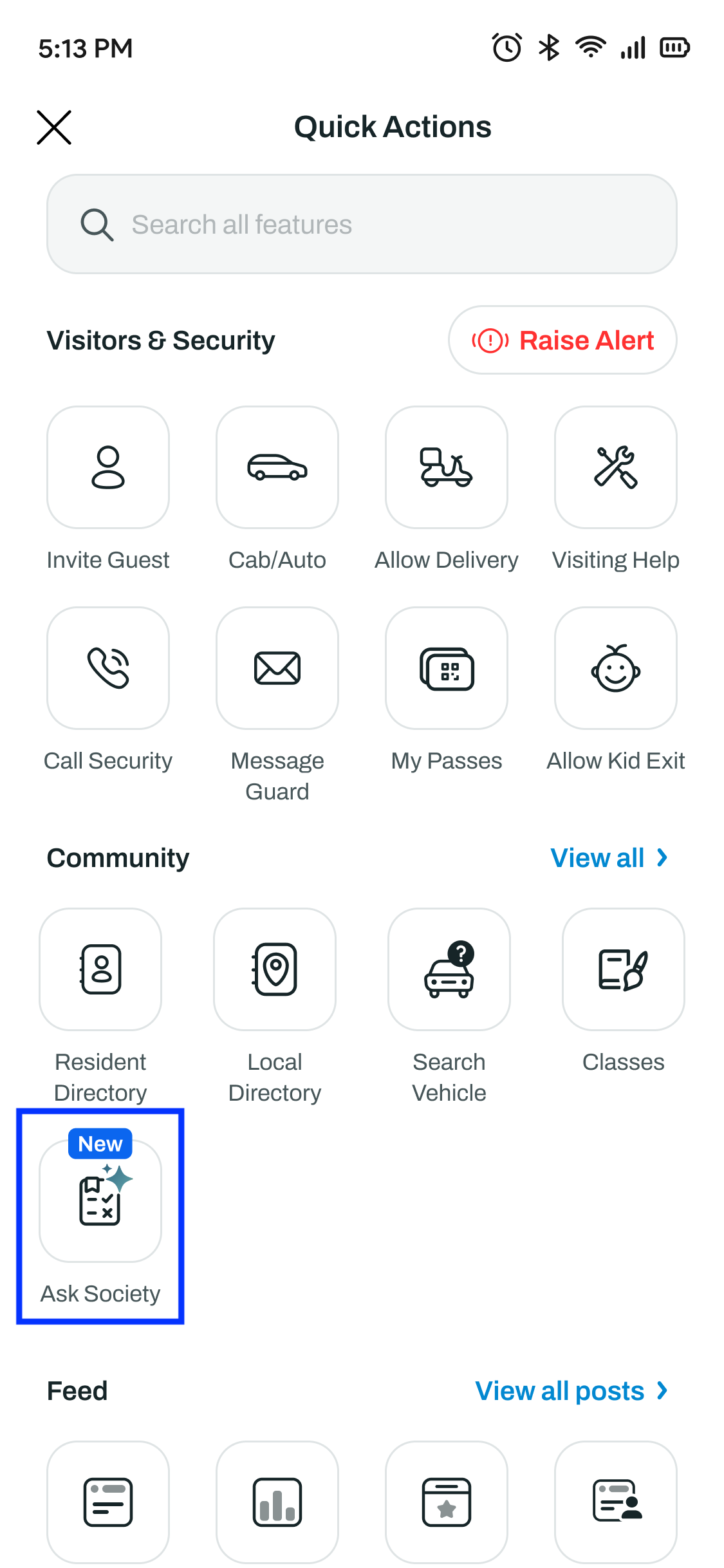
Option 1 Quick Actions — look for the "Ask Society" by clicking on View More on Quick Actions
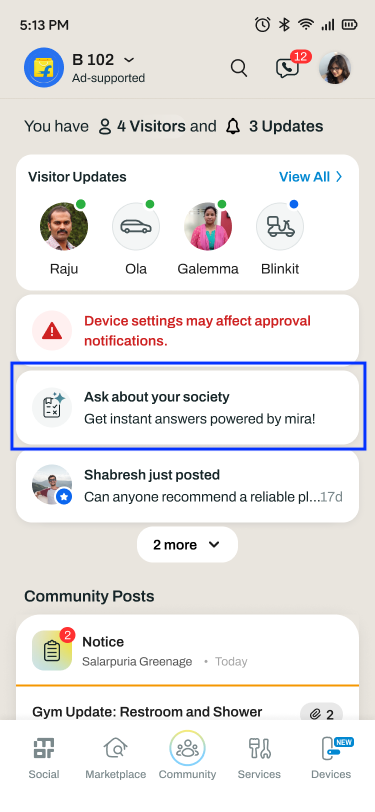
Option 2 Homepage spotlight — look for the "Ask about your society" card in your updates.
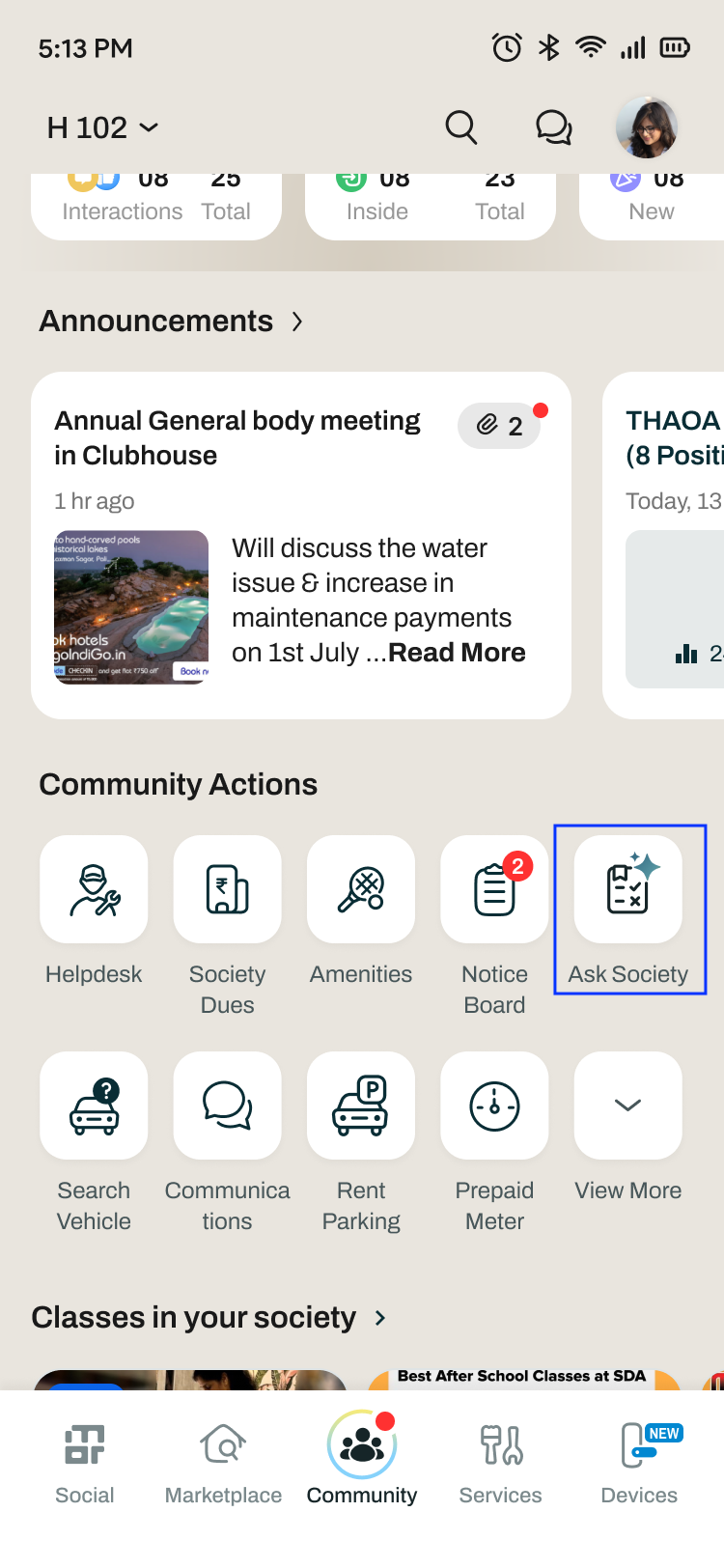
Option 3 Community tab — tap the Ask Society tile under Community Actions.
How do I ask a question?
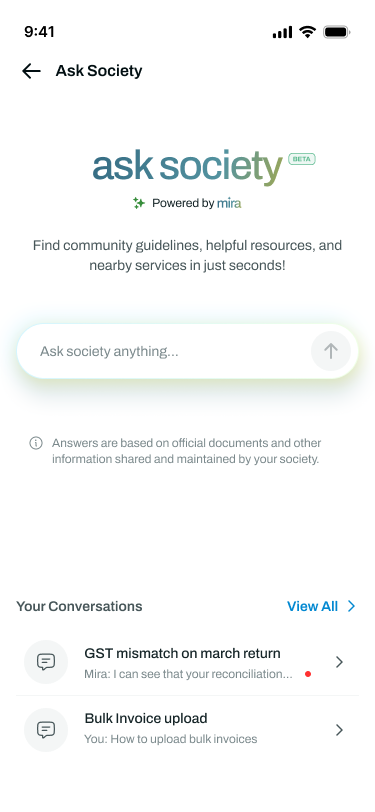
Open Ask Society, type your question in the "Ask society anything..." box and send it. MIRA searches your society documents and the local directory, and replies with the answer.
Can I see my earlier questions?
Yes. Past chats appear under "Your Conversations" on the Ask Society screen. Tap View All to see the full list.
What if MIRA cannot answer my question?
MIRA answers only from the documents your society has shared. If the topic is not covered, or the document has not been tagged yet, you will not get an answer — in that case, reach out to your society office or post on the community feed as usual.
I cannot see Ask Society in my app. Why?
Your society has probably not been enabled for it yet. The society admin needs to tag the documents and ask their Mygate RM to switch the feature on.
Are the answers reliable?
Answers are based on the official documents and information shared and maintained by your society. The feature is in BETA, so if something looks off, check with your society office.