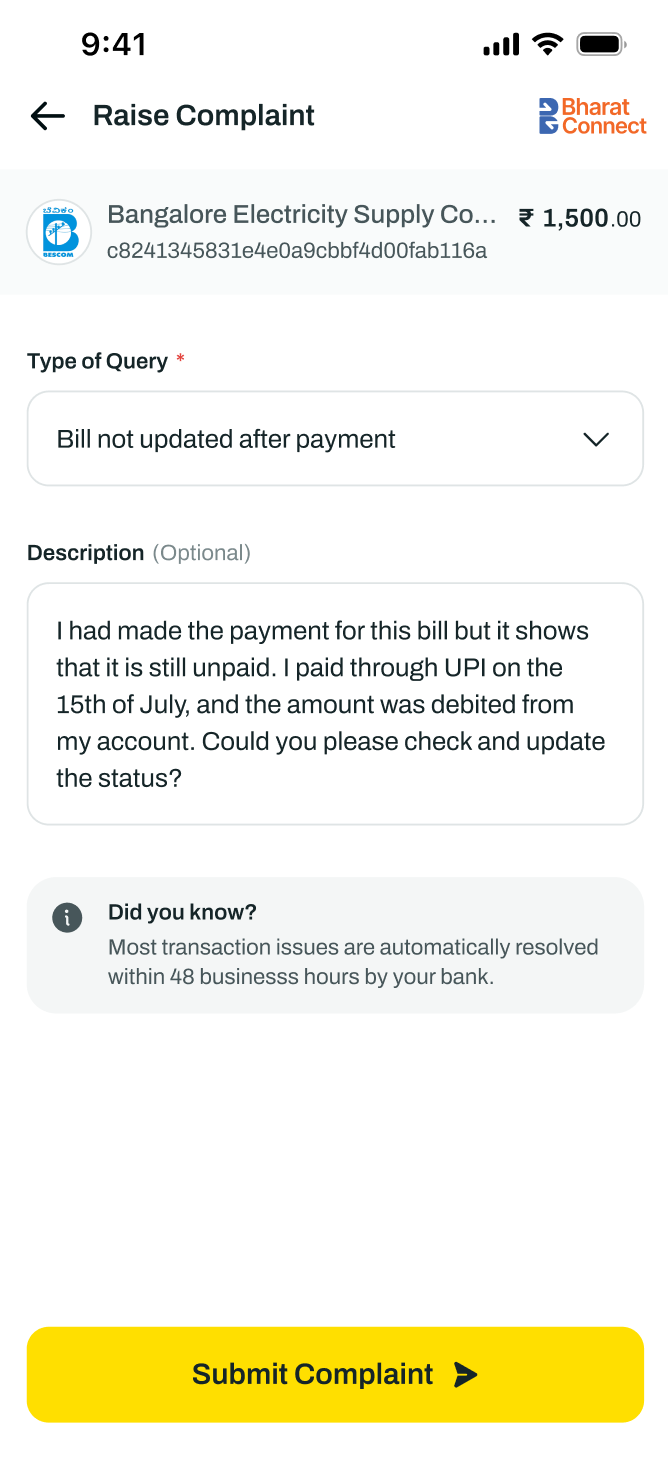
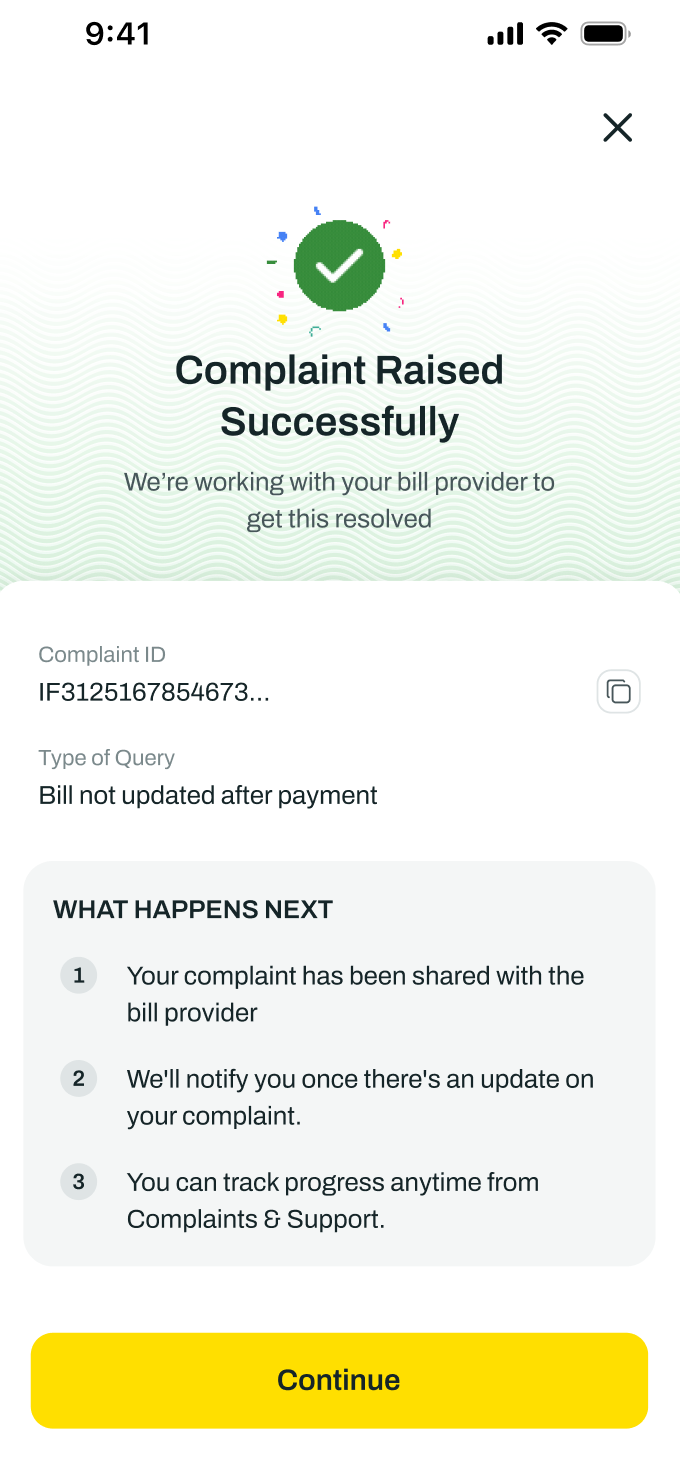
When should I raise and How to raise a complaint to NPCI Bharat BillPay?
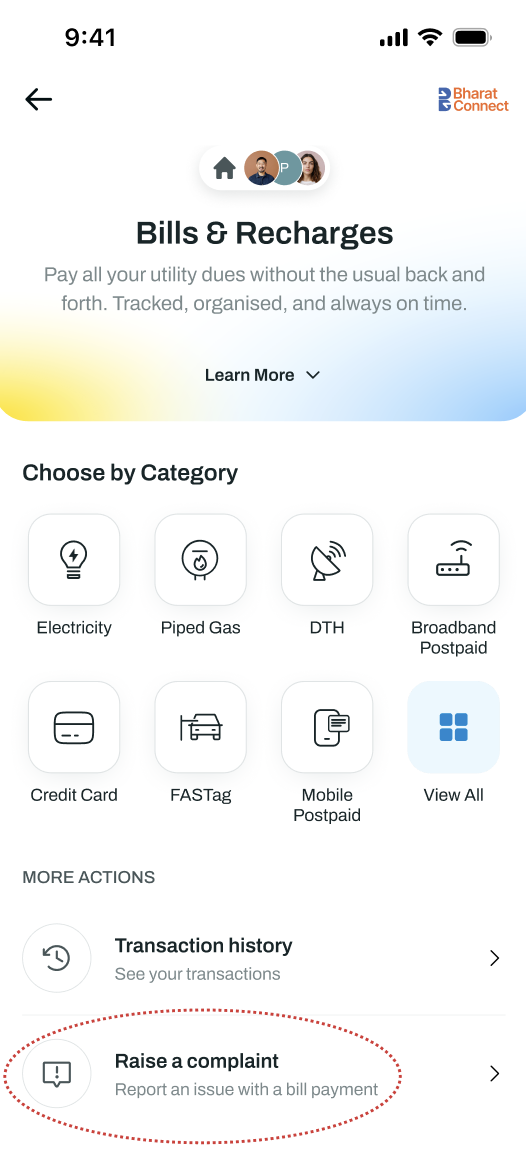
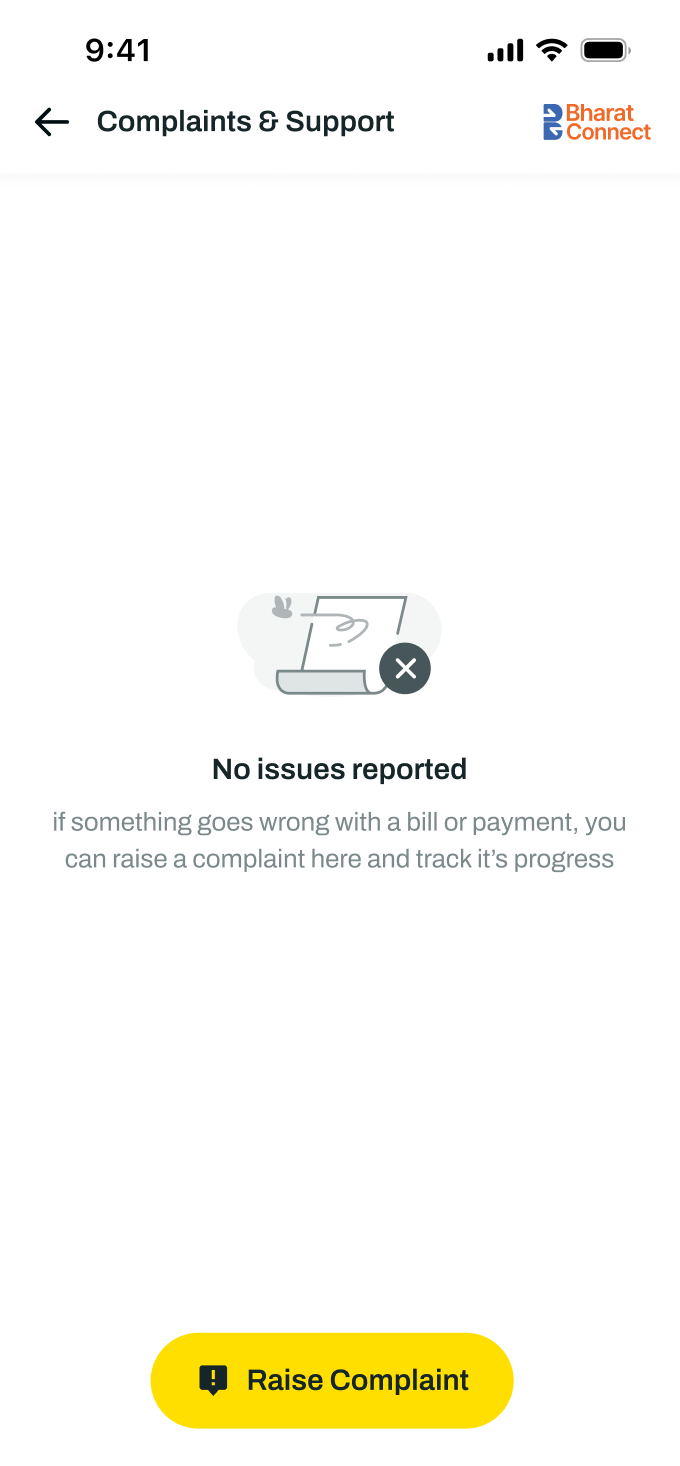
You can raise a complaint if your payment was debited but there are some issues with the biller. Tapping Raise Complaint on the payment details or from the homepage screen will directly lodge your complaint with NPCI Bharat BillPay for faster resolution.
Please note, you can raise a complaint to NPCI Bharat BillPay only for the successfully debited transaction and after a certain period of the transaction.
To raise a complaint with NPCI Bharat BillPay:
Tap on Raise a Complaint from the homepage
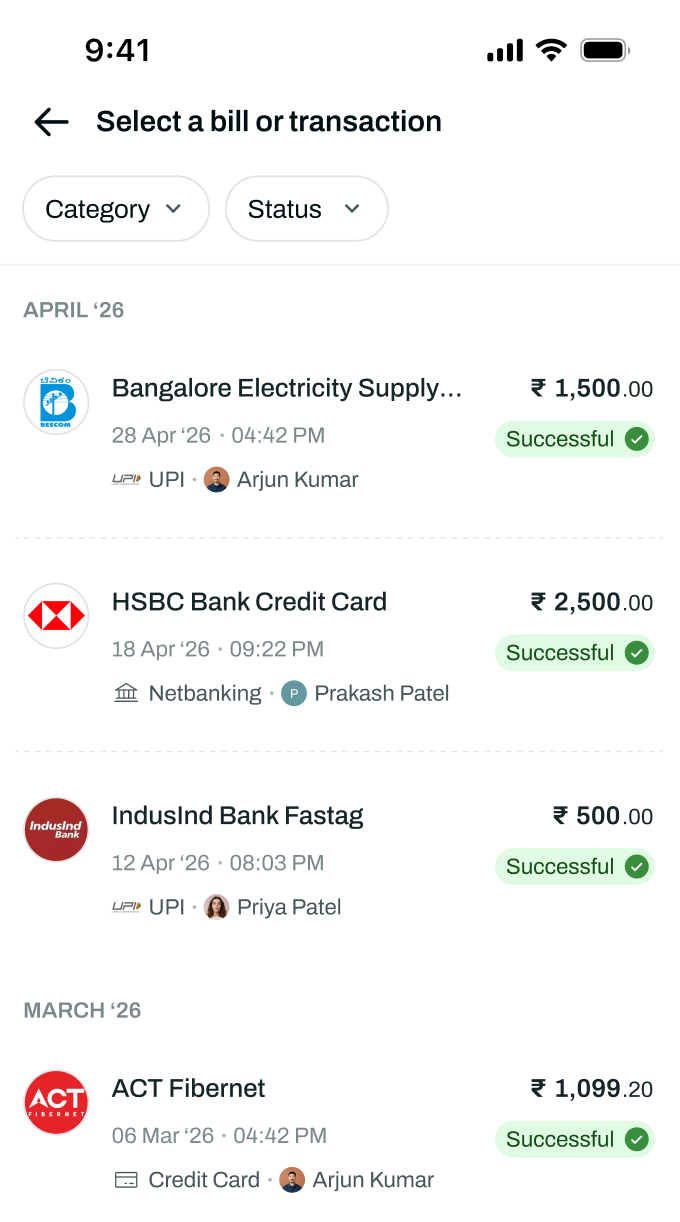
Select the transaction for which you want to raise the complaint
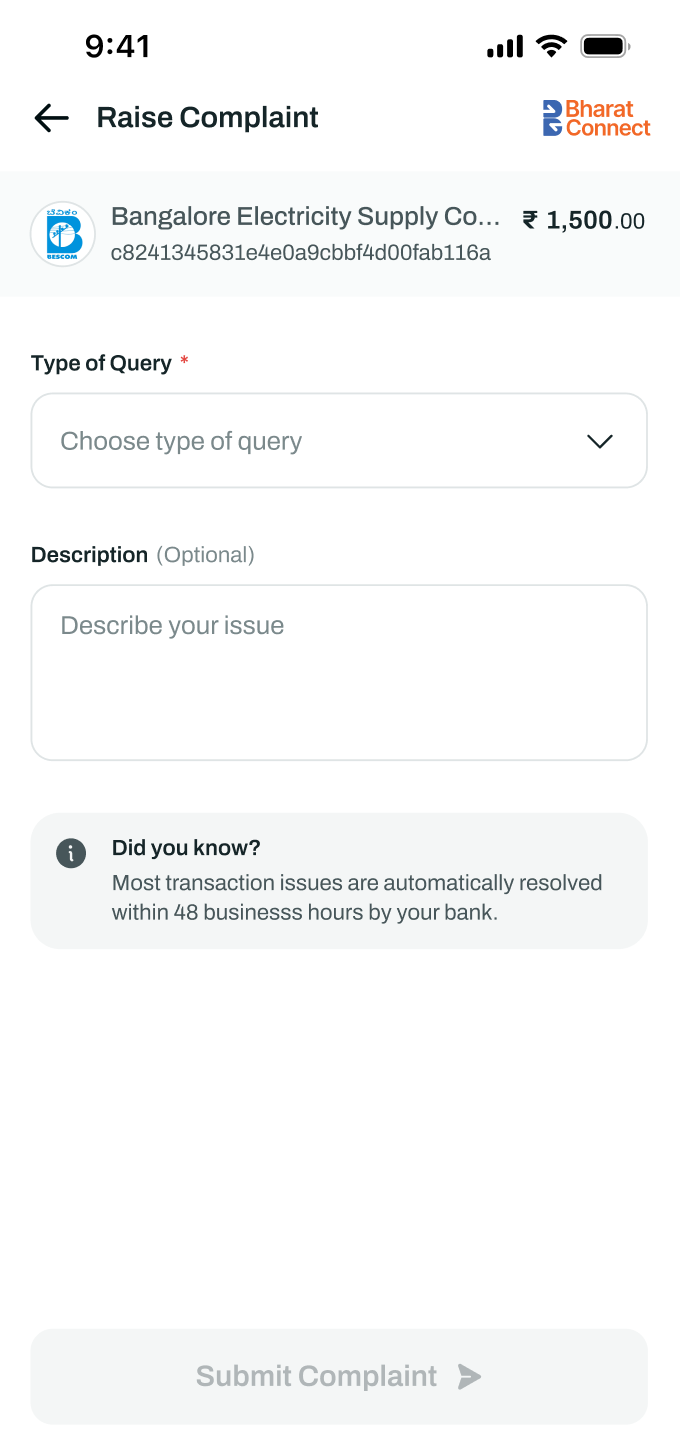
Select the type of complaint and add a description if required
Tap Submit
Once submitted, a complaint ID will be generated to track the ticket.
All the raised complaints can be tracked from the Complaint History page.
Please note: The complaint is raised directly with NPCI and not with Mygate. Mygate plays no role in the resolution or response of the complaint from NPCI.