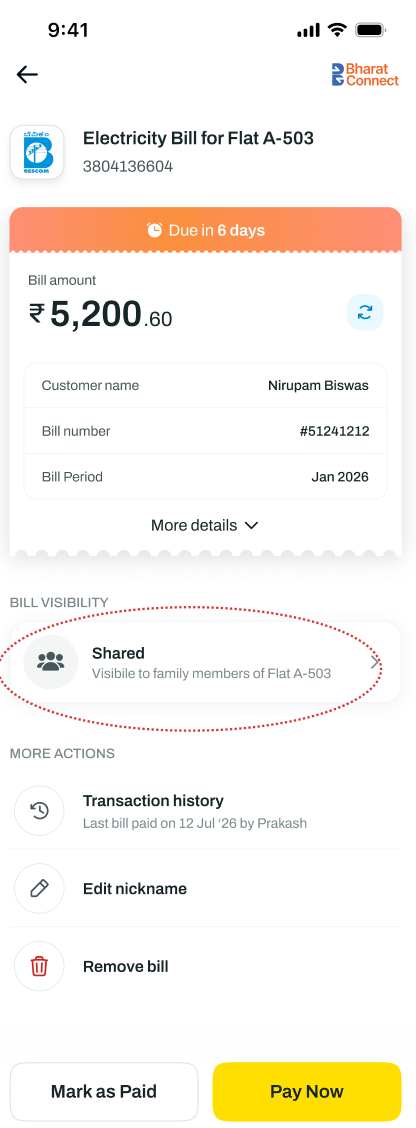
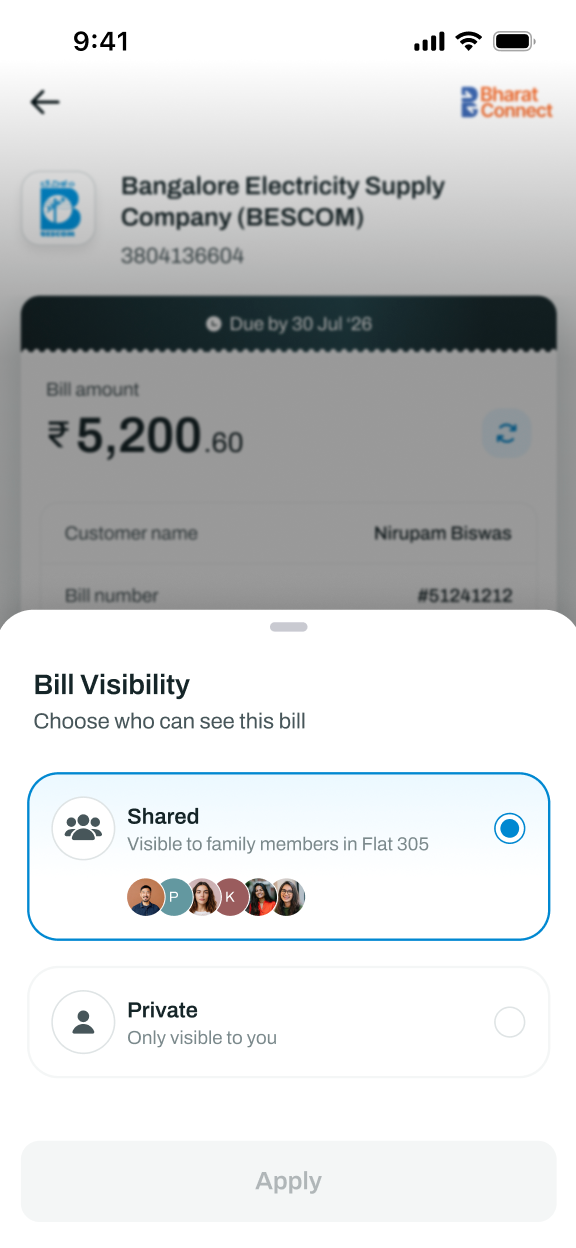
How do I change a bill from Shared to Private or vice versa?
On the bill details page, tap on Bill Visibility and select between Shared and Private. Tap Apply to save your preference. This change takes effect immediately.
Please note: Only bills that fall under household categories can be switched between Private and Shared. Bills that are personal in nature will remain private and cannot be changed to Shared visibility.