How do I pay Utility bills through mygate?
To fetch and pay a bill, please follow the mentioned steps
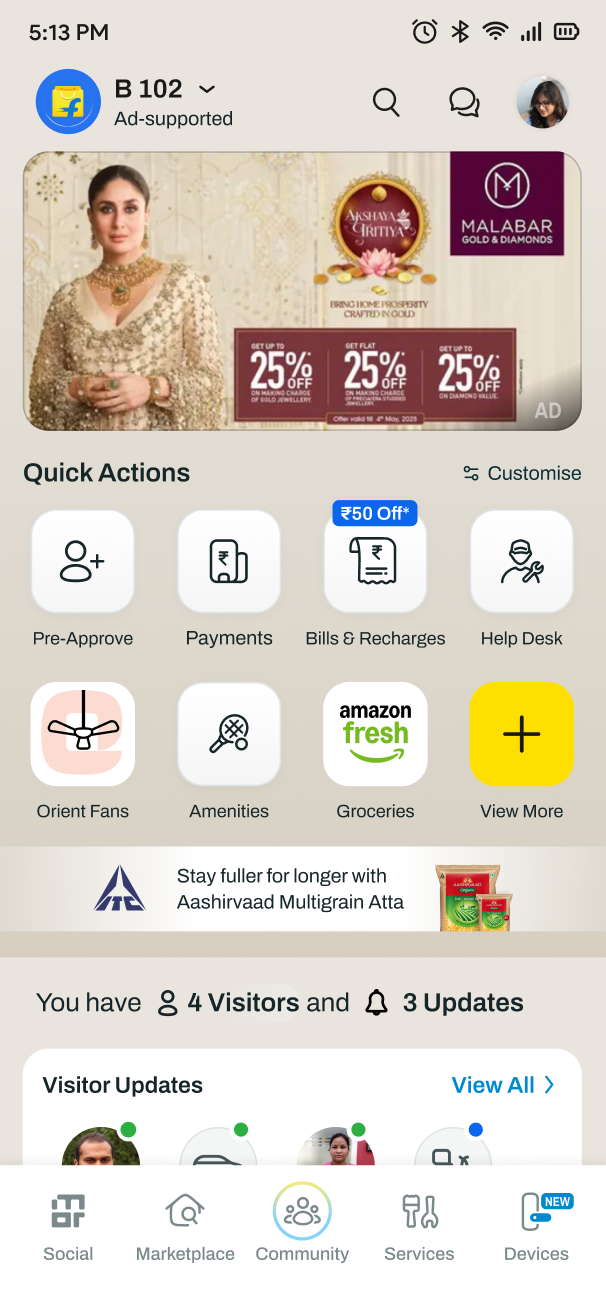
Click on Bills & Recharges present in the Quick Action tile or under Payments tile
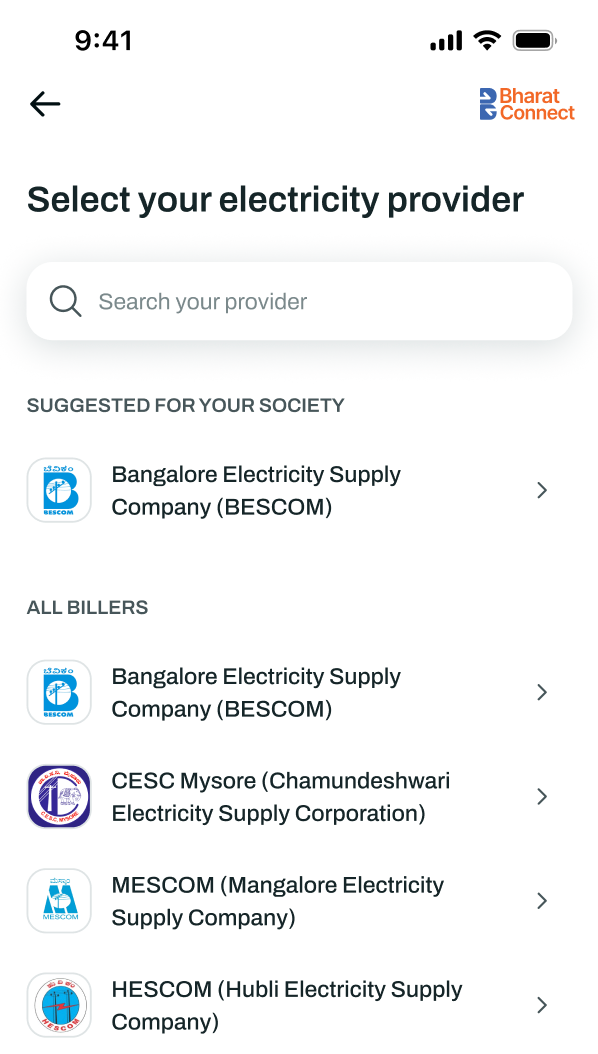
Select the bill category eg Electricity, FASTag, Water etc
Choose your biller from the list
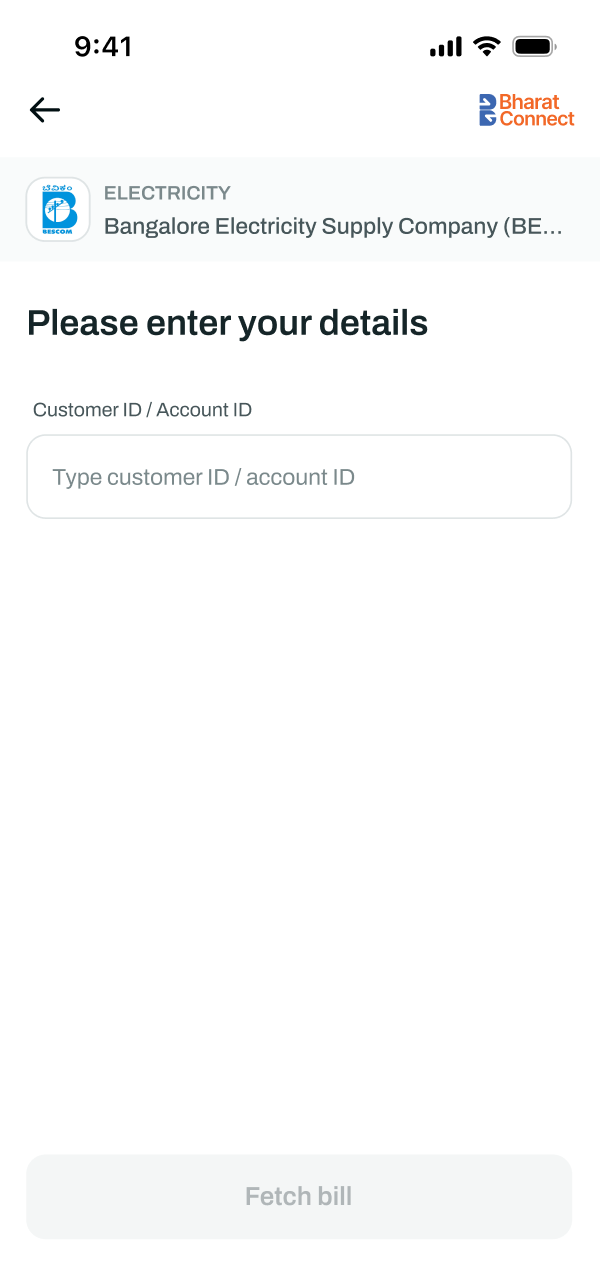
Enter the required account or customer ID
Click Fetch Bill
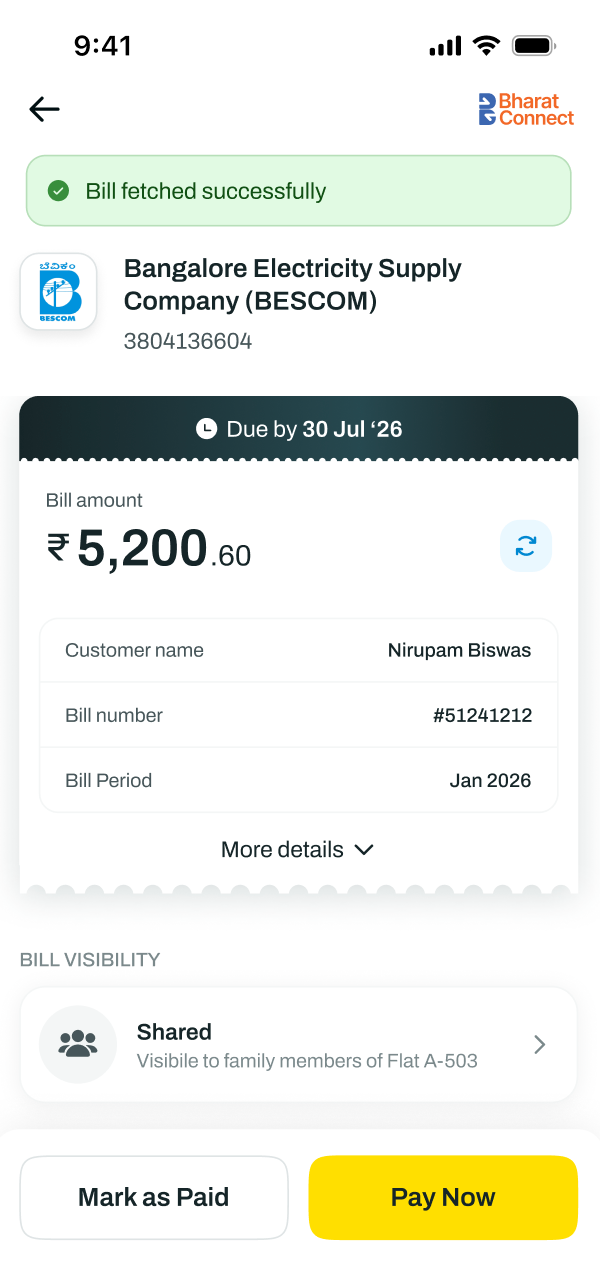
Verify the bill details
Click Pay Now
Select your preferred payment method and complete the payment.
A receipt with BBPS reference ID will be generated once the payment is successful.
Please Note: After successful bill payments, it may take up to 48 hr to reflect the same at the Biller end. You can check the status in the bill payment status in the post payment page.