I missed an approval notification. How can I avoid this in the future?
If you're busy or unavailable, you can add your family members to MyGate so they can also receive visitor approval notifications and approve visitors on your behalf.
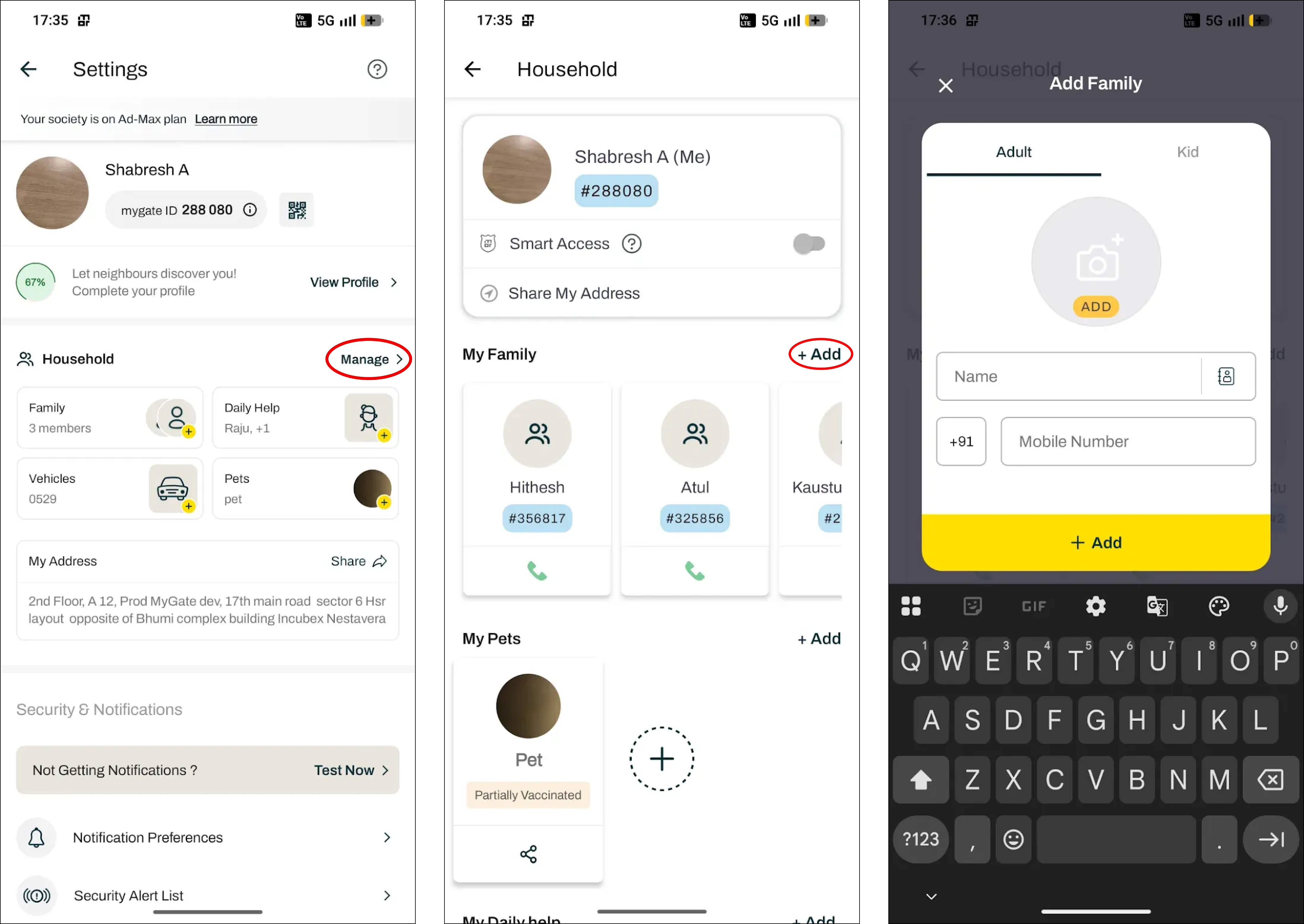
To add a family member:
Open the MyGate app.
Tap the Settings icon in the top-right corner of the Home screen.
Go to Household.
Tap Add Family Member.
Enter their mobile number and send the invitation.
Once they sign up or log in to MyGate using the same mobile number, they will automatically be added to your flat.
With multiple family members connected to the same flat, anyone can approve visitors when you're unavailable, helping ensure visitor requests are never missed.