How can I make a partial payment for my society dues?
Mygate allows you to make a partial payment against your society dues.
Please Note: Partial payments are a society-enabled feature. This option will only be available if your society has requested to enable partial payments. If you do not see the option, please contact your society administrator.
Steps to Make a Partial Payment
If you're paying a single invoice:
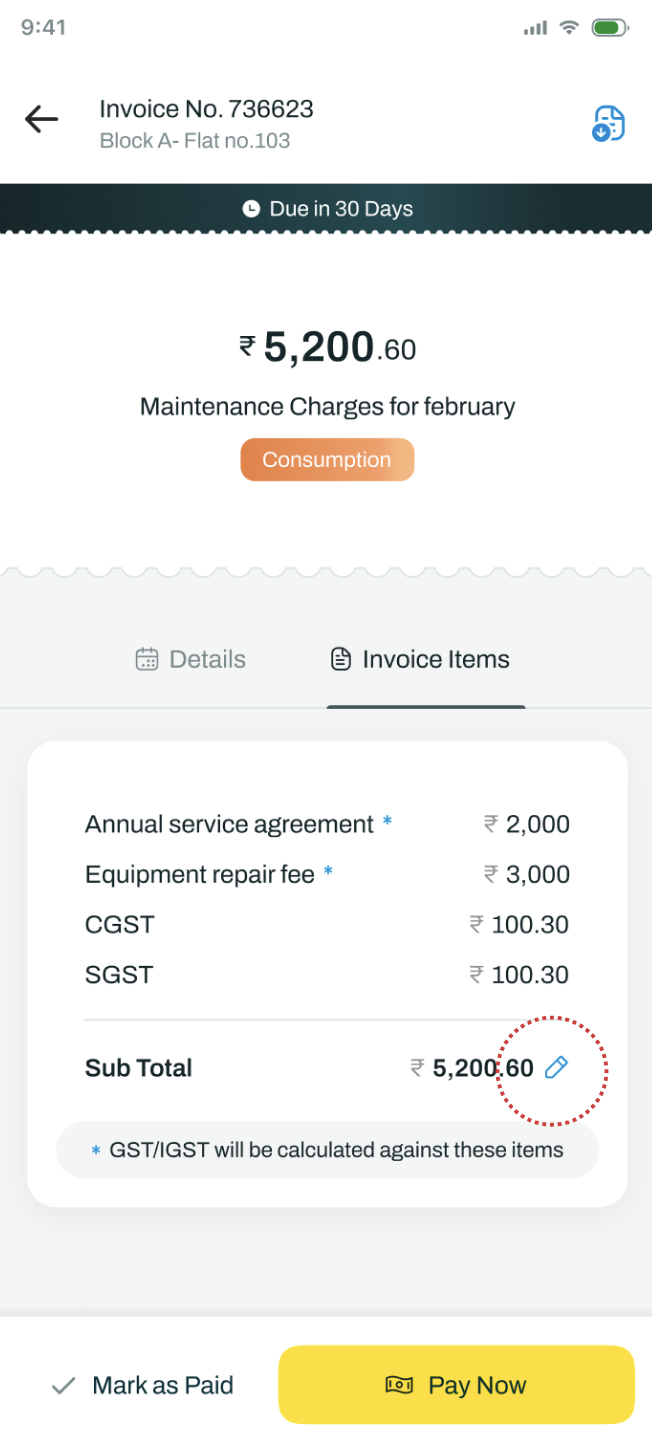
Open Community → Society Dues.
Click the invoice card that you want to pay.
On the Invoice Details page, tap the Edit button at the bottom.
Enter the amount you wish to pay.
Tap the ✓ (Tick) button to confirm the amount.
Once confirmed, the Pay Now button will be enabled, and the updated payment amount will be displayed.
Tap Pay Now to complete your payment.

If you're paying multiple invoices:
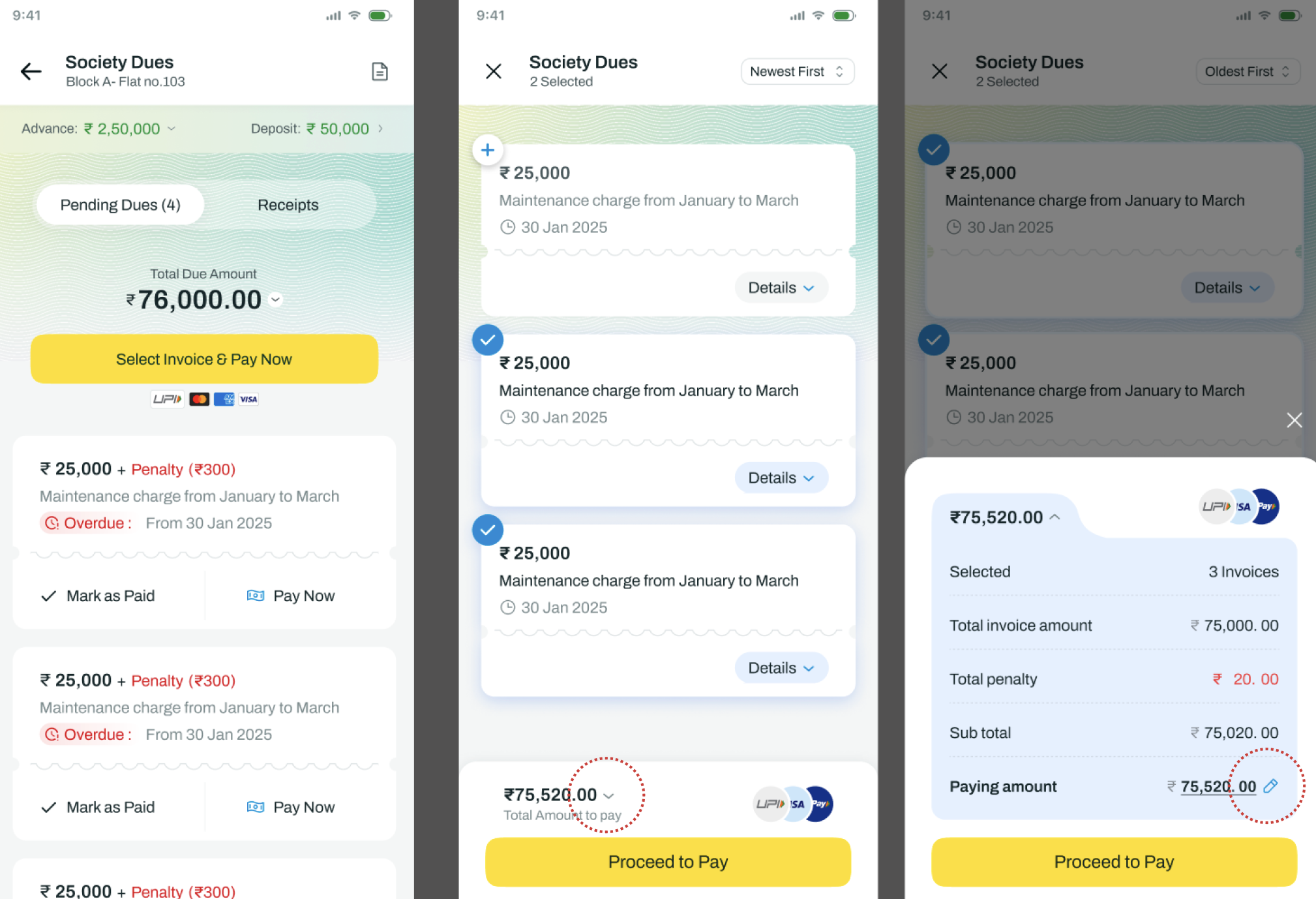
Open Community → Society Dues.
Tap Select Invoices & Pay.
Select the invoices you want to pay.
Tap the Payment Breakdown dropdown at the bottom.
Tap the Edit button.
Enter the amount you wish to pay.
Tap the ✓ (Tick) button to confirm the amount.
Once confirmed, the Proceed to Pay button will be enabled, and the updated payment amount will be displayed.
Tap Proceed to Pay to complete your payment.